LinkButton
Interactive component that resembels a button to help users navigate to new pages.
The <LinkButton> component provides a visually distinct, button-like element that functions as a navigational link. It combines the accessibility and semantics of a link with the appearance and interactivity of a button, making it ideal for scenarios where users need a clear call-to-action that leads to another page or resource.
Anatomy
A link button consists of a pressable area, often containing a textual label or icon, which users can press or activate using the Space or Enter keys.
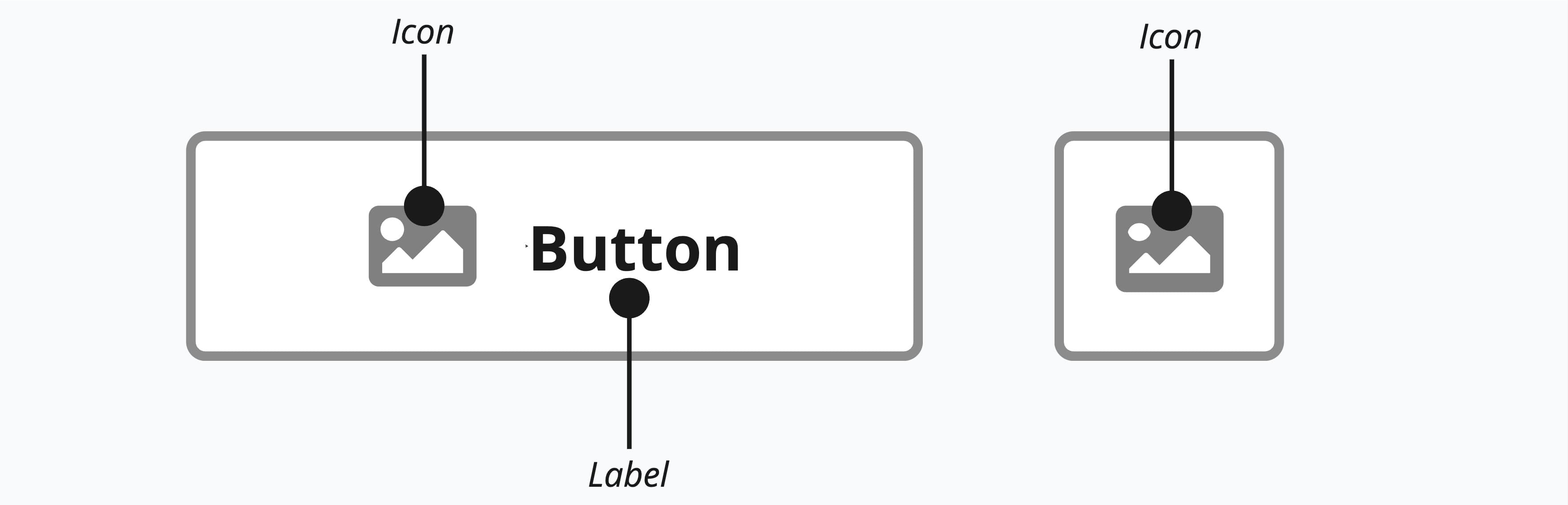
Appearance
The appearance of a component can be customized using the variant and size props. These props adjust the visual style and dimensions of the component, available values are based on the active theme.
| Property | Type | Description |
|---|---|---|
variant | primary | secondary | ghost | destructive | destructive-ghost | link | The available variants of this component. |
size | default | small | large | icon | The available sizes of this component. |
Usage
A link button should be used whenever the primary user action is navigation. It is the ideal choice when you need the visual prominence of a button for a call-to-action that directs the user to a different page or URL. For example, a "Sign Up Now" or "Learn More" element that takes the user to a new registration or features page is a perfect use case. Using a link button ensures that standard browser behaviors, such as opening a link in a new tab or copying the address, are preserved.
In contrast, a regular button is meant for performing an action on the current page. You should use a regular button when the user is submitting a form, opening a modal window, toggling a setting, or saving data without changing the URL. Essentially, if the component's purpose is to do something on the current view, use a button. If it is meant to go somewhere else, use a link button.
Visual Twins
The link button is the button's visual twin, so it must follow all the same guidelines. The only difference is that it's a link used for navigation. View button guidelines
Props
Prop
Type